Signs of a Damaged Printhead
The printhead is one of the most critical components in digital printing machines. Whether used in DTF printers, UV printers, eco solvent printers, or sublimation printers, the printhead directly affects print quality, production efficiency, and machine stability.
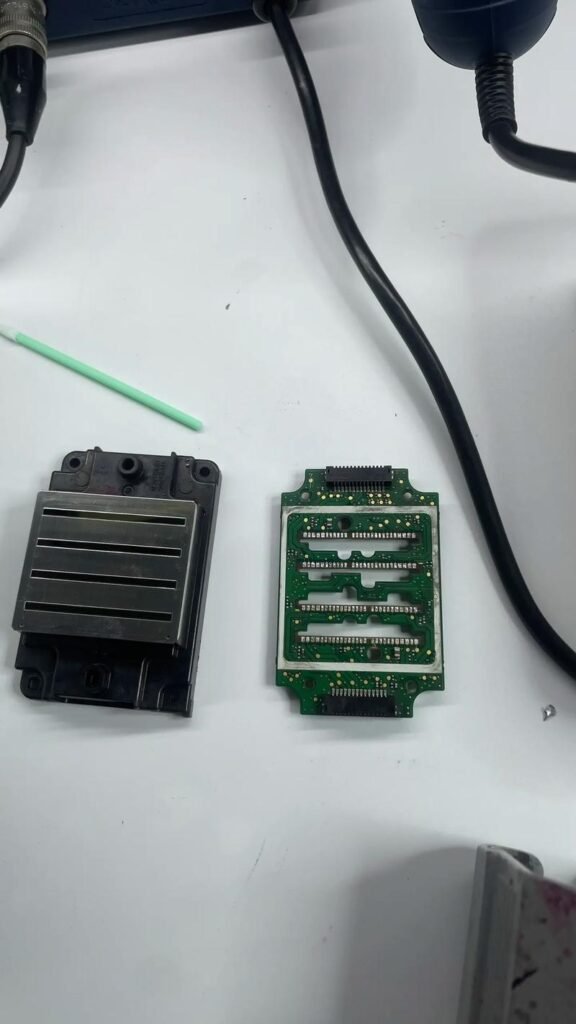
Over time, printheads may become damaged due to ink clogging, poor maintenance, electrical problems, or heavy production workloads.
Recognizing the signs of a damaged printhead early can help reduce downtime, avoid additional machine damage, and prevent expensive production losses.
Why Printheads Become Damaged
Printheads operate under demanding production conditions and are constantly exposed to:
- Ink flow pressure
- Ink drying
- Dust contamination
- Static electricity
- Long production hours
Without proper maintenance, printheads may gradually lose performance or fail completely.
1. Missing Nozzles
Problem
One of the most common signs of printhead damage is missing nozzles during nozzle checks.
Symptoms include:
- Broken print lines
- Missing colors
- Uneven printing
- Banding issues
Possible Causes
- Ink clogging
- Nozzle damage
- Ink drying inside the printhead
- Electrical failure
If missing nozzles remain after repeated cleaning, the printhead may be permanently damaged.
2. Banding in Printed Images
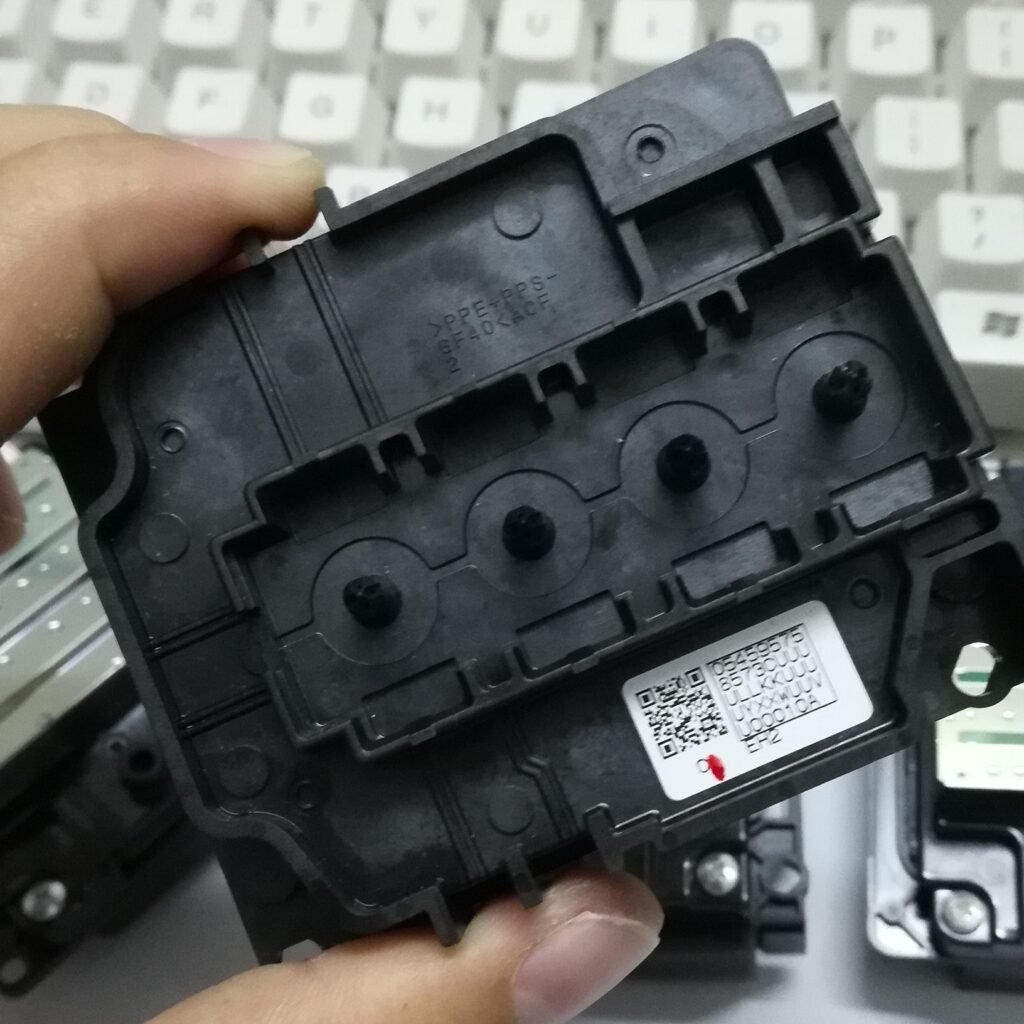
Problem
Banding appears as horizontal lines across printed graphics.
This issue reduces image quality and affects commercial production.
Possible Causes
- Damaged nozzles
- Ink supply instability
- Electrical issues
- Poor printhead firing performance
Severe banding often indicates printhead performance deterioration.
3. Weak or Incorrect Colors
Problem
Printed colors become weak, faded, or inaccurate.
Possible Causes
- Partial nozzle blockage
- Ink flow problems
- Damaged nozzle channels
- Electrical instability
Color inconsistency may become more noticeable during large production jobs.
4. Frequent Printhead Clogging
Problem
The printhead clogs repeatedly even after cleaning.
Possible Causes
- Internal nozzle damage
- Poor ink circulation
- Ink sediment buildup
- Worn printhead components
Excessive clogging frequency may indicate aging printheads.
5. Ink Leakage Around the Printhead
Problem
Ink leaks underneath or around the printhead area.
Possible Causes
- Internal printhead damage
- Cracked ink channels
- Seal failure
- Printhead aging
Ink leakage may also damage nearby electronic components if ignored.
6. Deflected Ink Spray
Problem
Ink sprays in incorrect directions during printing.
Symptoms include:
- Double lines
- Blurry text
- Misaligned graphics
- Overspray
Possible Causes
- Damaged nozzles
- Ink buildup
- Printhead contamination
- Physical nozzle plate damage
Deflected spray often reduces print sharpness significantly.
7. Repeated Cleaning Does Not Solve the Problem
Problem
Multiple cleaning cycles fail to restore normal printing quality.
Possible Causes
- Permanent nozzle damage
- Burned electronic channels
- Internal printhead failure
When cleaning no longer improves nozzle checks, printhead replacement may be necessary.
8. Error Messages or Carriage Errors
Problem
The printer displays carriage or printhead-related errors.
Possible Causes
- Printhead communication failure
- Electrical short circuits
- Damaged carriage board
- Ink leakage affecting electronics
Some electrical issues may damage both the printhead and the carriage board.
9. Printhead Strike Damage
Problem
The printhead physically hits the printed material.
Symptoms include:
- Scratches on the nozzle plate
- Sudden nozzle loss
- Ink leakage
- Severe print quality problems
Possible Causes
- Media lifting
- Improper material loading
- Warped materials
- Incorrect print height settings
Printhead strikes can permanently damage nozzle surfaces.
Common Causes of Printhead Damage
Poor Maintenance
Lack of regular cleaning may cause severe clogging and nozzle damage.
Low-Quality Ink
Poor-quality ink may increase:
- Sedimentation
- Corrosion
- Nozzle blockage
- Ink instability
Low Humidity
Dry environments may accelerate ink drying inside nozzles.
Long Printer Downtime
Unused printers may develop severe clogging due to dried ink.
Electrical Problems
Voltage instability and ink leakage may damage printhead electronics.
XP600 Printhead Damage Signs
XP600 printheads are commonly used in entry-level printing systems.
Common XP600 issues include:
- Faster clogging
- Missing nozzles
- Shorter lifespan
- Ink drying sensitivity
XP600 printheads generally require more frequent maintenance.
Epson i3200 Printhead Damage Signs
The Epson i3200 is an industrial-grade printhead with better durability.
However, damage may still occur due to:
- Poor maintenance
- Ink contamination
- Printhead strikes
- Electrical instability
Early detection helps reduce expensive replacement costs.
How to Prevent Printhead Damage
Perform Daily Nozzle Checks
Early detection helps prevent serious problems.
Use High-Quality Ink
Stable ink quality improves printhead reliability.
Maintain Proper Humidity
Recommended humidity reduces nozzle drying.
Clean the Printer Regularly
Regular maintenance improves long-term stability.
Avoid Long Idle Periods
Frequent printer operation helps maintain ink circulation.
When Should a Printhead Be Replaced?
Printhead replacement may be necessary when:
- Nozzle loss becomes permanent
- Severe banding continues
- Ink leakage appears
- Cleaning no longer improves printing quality
- Electrical damage occurs
In commercial production environments, stable print quality is essential for business efficiency.
FAQ
Can a damaged printhead be repaired?
Minor clogging may sometimes be cleaned, but severe nozzle or electrical damage usually requires replacement.
Why does my printhead keep clogging?
Poor maintenance, low humidity, and low-quality ink are common causes.
What causes printhead strikes?
Warped materials, incorrect media loading, and improper print height settings may cause printhead strikes.
Is missing nozzles always a damaged printhead?
Not always. Temporary clogging may sometimes be resolved through proper cleaning.
Conclusion
Recognizing the signs of a damaged printhead early helps reduce production downtime, improve machine stability, and avoid expensive repairs. Common warning signs include missing nozzles, banding, ink leakage, weak colors, and repeated clogging problems.
Proper maintenance, stable environmental conditions, and high-quality consumables are essential for extending printhead lifespan and maintaining reliable printing performance.
Looking for Reliable Printheads and Printing Spare Parts?
Explore Epson XP600 printheads, Epson i3200 printheads, Ricoh printheads, inks, cleaning solutions, and printing spare parts at:
WhatsApp: https://wa.me/8619501858091
We provide professional printing solutions and global shipping support for printing businesses worldwide.