Common DTF Printing Problems and Solutions
DTF (Direct to Film) printing is widely used in custom apparel production because of its flexibility and high-quality printing results. However, during daily production, DTF printers may encounter various technical problems that affect print quality and production efficiency.
Understanding common DTF printing problems and their solutions can help reduce downtime, protect printheads, and improve production stability.
Why DTF Printing Problems Happen
Most DTF printing problems are caused by:
- Poor maintenance
- Low-quality ink or film
- Incorrect temperature settings
- Improper humidity
- Printhead clogging
- Incorrect RIP software settings
Regular maintenance and correct operating procedures are essential for stable DTF printing production.
1. Printhead Clogging

Problem
printhead clogging is one of the most common DTF printing issues.
Symptoms include:
- Missing lines
- Broken images
- Incomplete colors
- Poor white ink output
Possible Causes
- Ink drying inside nozzles
- Low humidity
- Poor-quality ink
- Long idle periods
- Infrequent cleaning
Solutions
- Perform nozzle checks daily
- Use high-quality DTF ink
- Maintain proper humidity
- Clean the capping station regularly
- Avoid leaving the printer unused for long periods
Proper printhead maintenance can significantly reduce clogging problems.
2. White Ink Sedimentation
Problem
White ink settles easily because it contains heavy pigment particles.
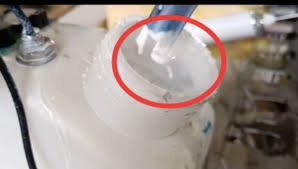
Symptoms include:
- Weak white layer
- Uneven printing
- White ink blockage
Possible Causes
- Poor ink circulation
- Long machine downtime
- Low-quality white ink
Solutions
- Stir white ink regularly
- Use white ink circulation systems
- Print white channels daily
- Use high-quality white ink
White ink maintenance is especially important for DTF printing stability.
3. Film Sticking Problems
Problem
The PET film may stick during transfer or peeling.
Symptoms include:
- Incomplete transfer
- Damaged design
- Difficult peeling
Possible Causes
- Incorrect heat press temperature
- Incorrect pressure
- Poor-quality PET film
- Improper curing
Solutions
- Adjust heat press settings properly
- Use reliable PET film
- Follow recommended curing temperature
- Test transfer settings before mass production
4. Powder Not Melting Properly
Problem
Adhesive powder may not cure correctly.
Symptoms include:
- Poor adhesion
- Cracking after washing
- Powder residue
Possible Causes
- Low curing temperature
- Uneven heating
- Incorrect powder application
Solutions
- Maintain stable curing temperature
- Apply powder evenly
- Use quality adhesive powder
- Check curing oven performance regularly
5. Banding Issues
Problem
Banding appears as horizontal lines across the print.
Possible Causes
- Clogged nozzles
- Incorrect print settings
- Encoder strip contamination
- Ink supply issues
Solutions
- Perform nozzle cleaning
- Clean encoder strip carefully
- Check ink system pressure
- Adjust printing settings
6. Ink Smearing
Problem
Ink smearing affects image sharpness and color quality.
Possible Causes
- Incorrect head height
- Excessive ink output
- Wet film surface
- Incorrect curing settings
Solutions
- Adjust printhead height properly
- Optimize RIP software settings
- Ensure proper film drying
- Maintain stable room temperature
7. Printhead Strikes
Problem
The printhead may physically contact the film.
Symptoms include:
- Scratched printhead surface
- Ink leakage
- Permanent nozzle damage
Possible Causes
- Warped film
- Incorrect media loading
- Excessive printhead height reduction
Solutions
- Load film properly
- Maintain correct head height
- Use flat and stable film
- Check media feeding system regularly
Printhead strikes can cause serious and expensive damage.
8. Poor Color Performance
Problem
Printed colors appear dull or inaccurate.
Possible Causes
- Incorrect ICC profile
- Poor-quality ink
- RIP software issues
- Wrong color settings
Solutions
- Use correct ICC profiles
- Calibrate RIP software
- Use high-quality ink
- Test color settings regularly
Best Practices for Stable DTF Printing
To maintain stable production:
- Perform daily maintenance
- Use quality consumables
- Maintain proper humidity
- Keep the printer clean
- Use reliable RIP software settings
Preventive maintenance is always more effective than major repairs.
FAQ
Why does my DTF printer clog frequently?
Low humidity, poor-quality ink, and improper maintenance are common causes.
How can I prevent white ink blockage?
Use white ink circulation systems and print white channels regularly.
What causes banding in DTF printing?
Banding is usually caused by clogged nozzles or incorrect print settings.
Why is my DTF transfer peeling?
Incorrect heat press temperature or poor powder curing may cause peeling problems.
Conclusion
DTF printing problems are common in daily production, but most issues can be prevented through proper maintenance, quality consumables, and correct operating procedures.
Understanding common DTF printing problems and solutions helps improve production stability, reduce downtime, and extend printhead lifespan.
Looking for Reliable DTF Printing Equipment and Spare Parts?
Explore high-quality DTF printers, Epson i3200 printheads, XP600 printheads, inks, PET film, adhesive powder, and spare parts at:
👉 WhatsApp: https://wa.me/8619501858091
We provide professional printing solutions and global shipping support for printing businesses worldwide.